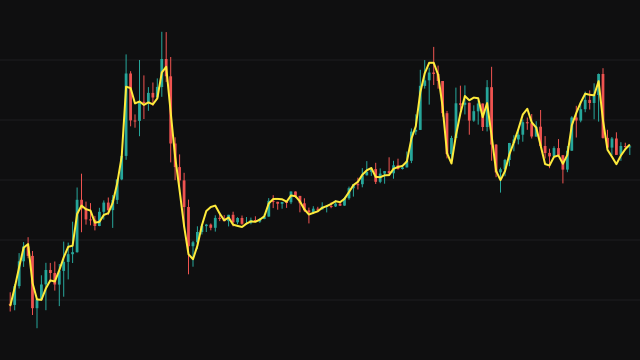
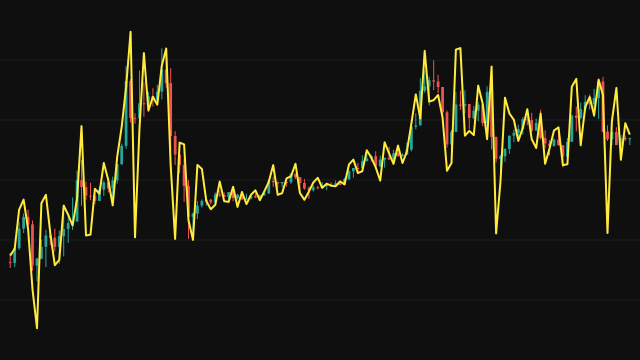
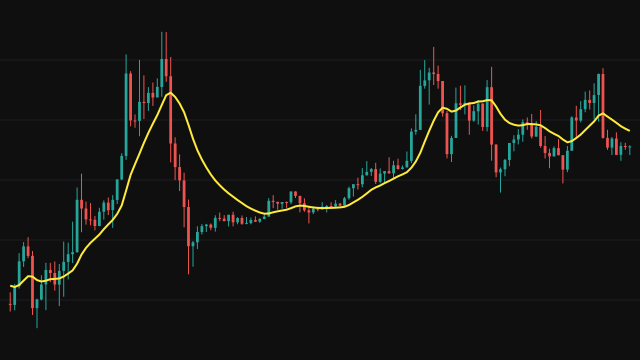
The Coral Filter runs the source through six exponential smoothing stages in a row, each one smoothing the output of the stage before it. The smoothing constant comes from the period: an effective length of (Period - 1) / 2 + 1, and a weight of 2 / (length + 1).
The result is not the last stage. It is a weighted sum of stages three to six, with weights that are polynomials in the Constant D setting: -d^3 on stage six, 3(d^2 + d^3) on stage five, -3(2d^2 + d + d^3) on stage four and 3d + 1 + d^3 + 3d^2 on stage three. The weights add up to 1, and they cancel much of the lag that six stages of smoothing would otherwise build up. Every stage starts at zero, so the line rises from zero on the first bars and settles onto price over the first few periods.
How to read Coral Filter (CORAL)
Use it as a trend line. Price above a rising Coral line describes an uptrend and price below a falling one a downtrend, and a change in the slope of the line is a sign the trend is turning. Because the line is very smooth, its slope gives a cleaner read of direction than price itself.
A higher Constant D makes the line follow price more closely, with more wiggle; a lower one makes it smoother and slower. Ignore the first stretch of bars, where the line is still climbing from its zero start.
Settings
- Smoothing Period
- Sets the smoothing constant of all six stages. Longer is smoother and slower.
- Constant D
- Weights the stages against each other, from 0 to 1. Higher follows price more closely at the cost of smoothness.
- Source
- The price series that is filtered, the close by default.
Frequently asked questions
Why does the line start near zero?
All six stages are set to zero before the first bar, so the line needs a few periods to climb onto price. Read it once it has settled.
What does Constant D do?
It sets how the four outer stages are mixed. Larger values give more weight to the faster stages and less lag; smaller values give a smoother, slower line.