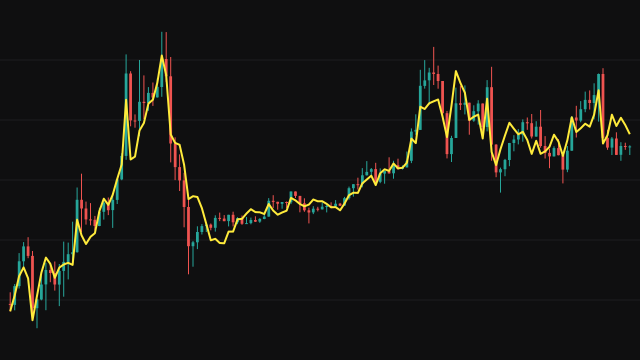
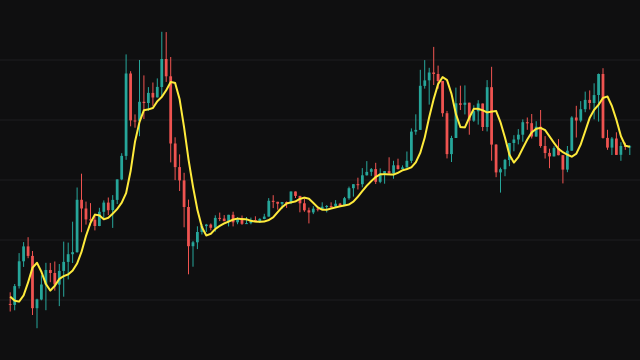
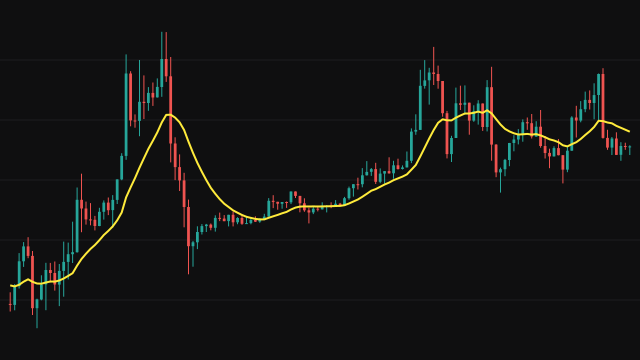
This study builds two exponential bands from the source with a smoothing factor of 2 / (Period + 1). The upper band is an exponential average that jumps straight to price whenever price rises above it; the lower band does the same whenever price falls below it. Both bands start at zero. On the first bar the upper band snaps straight to price, while the lower band climbs up from zero over the following bars.
A side flag records which band price last touched: it becomes 1 on a bar where price equals the upper band, 0 on a bar where it equals the lower band, and otherwise keeps its previous value. The output then mixes the bands with Beta. On the up side it is beta * upper + (1 - beta) * lower, on the down side beta * lower + (1 - beta) * upper. With Beta at 1 the line follows the band on the side price last touched; with Beta at 0 it sits on the opposite band, like a trailing stop.
With Feedback switched on, the input to both bands is a blend of the source and the previous output, weighted by Feedback Weight, which smooths the line further.
How to read Modular Filter (MODF)
With a high Beta, read the line as a smooth filter that follows price closely after each new touch of a band. With a low Beta, read it as a trailing stop: the line stays on the far side of price and only flips when price reaches the other band. A change of side is a change in which band price last touched, which marks a new swing direction.
A longer Period widens the bands and slows the line. Feedback adds smoothing at the cost of more lag. Because the lower band starts at zero, the line begins well below price and needs some bars at the start of the chart to catch up before it can be read.
Settings
- Period
- The length of the exponential bands. Longer periods give slower bands and a smoother line.
- Beta
- The blend between the bands. 1.0 behaves as a smooth filter that follows price, 0.0 as a trailing stop on the far band.
- Feedback
- When on, the bands are fed a blend of price and the previous output instead of price alone, which smooths the line.
- Feedback Weight
- The share of price in the feedback blend. Lower values lean more on the previous output and give a smoother line. Used only with Feedback on.
- Source
- The price series that is filtered, the close by default.
Frequently asked questions
What does Beta actually change?
It decides how much of each band goes into the line. Near 1 the line hugs the band price last touched; near 0 it stays on the opposite band, so it trails price like a stop.
Why does the line start below price and climb?
Both bands start at zero. The upper band jumps to price on the first bar, but the lower band rises from zero at the exponential rate, so the blend starts at roughly Beta times price (about 83 percent of it at the defaults) and closes the gap over the first couple of Period lengths.
When should I turn Feedback on?
When the line is too jumpy for your timeframe. Feedback feeds part of the previous output back in, which damps quick reversals but adds lag.