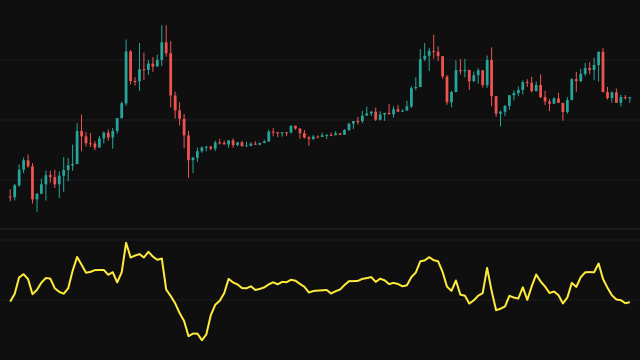
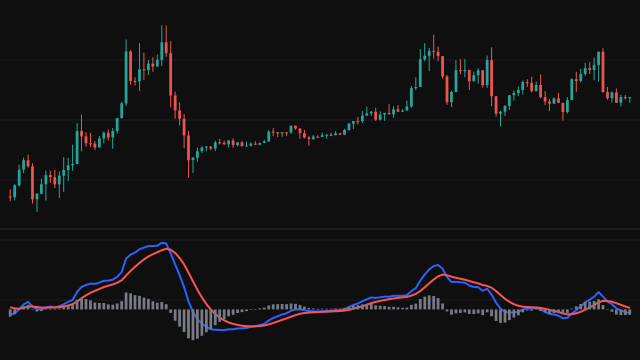
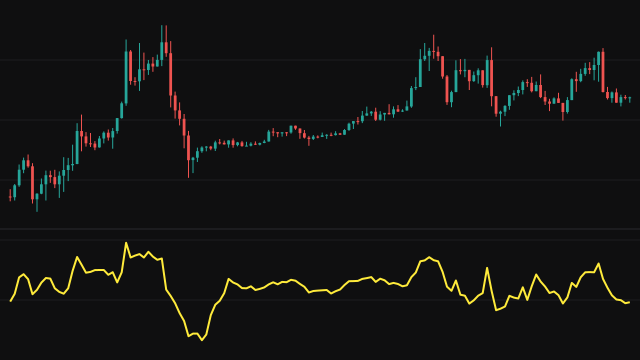
Rate of Change measures how far price has moved over a lookback, in the instrument's own price units. On each bar it subtracts the source value of an earlier bar from the current one.
The lookback does not start at full length. On the first bar it is zero bars, so the reading is zero; on each bar with a usable reference it grows by one until it reaches length, and then it stays there. The line therefore starts on the first bar, comparing with the first bar of the chart, instead of leaving a gap while the window fills. Once the lookback is full the reading is simply the source minus the source length bars ago.
How to read Rate of Change (ROC)
Above zero, price is higher than it was over the lookback; below zero, it is lower. The distance from zero is the size of the move in price units, so a larger reading is a faster move. A turn in the line before a turn in price can show a move losing speed.
The first length bars use a shorter lookback, so they are not comparable with the rest of the line. Because the result is in price units rather than a percentage, compare it only with its own history on the same instrument.
Settings
- Source
- The price series whose change is measured. Close is the default; hl2 and the other blends soften bars with long wicks.
- Length
- The full lookback in bars. The lookback grows to this number over the first bars and then stays fixed.
Frequently asked questions
Why does the line start at zero on the first bar?
The lookback starts at zero bars and grows by one bar on each bar, so the first bar is compared with itself. After length bars the lookback is full.
Is this a percentage?
No. It is the difference in price units. The ROCP study gives the same change as a percentage, and ROCR gives it as a ratio.