
Custom Functions & Procedures
Package logic you reuse into your own functions and procedures, with local and global scope.
- ·function vs procedure
- ·Parameters & return
- ·local vs global variables
- ·Returning an array
- ·A reusable indicator function
- ·Building a small personal library
By now you have written the same little snippets more than once - an EMA here, a smoothing there, a colour rule you keep retyping. Copy-paste works, but it quietly rots: fix a bug in one copy and the other five still carry it. The professional answer is to give a useful piece of logic a name, define it once, and call it by that name wherever you need it. That is what custom functions and procedures are for, and they are the moment your AFL starts to feel like a craft rather than a pile of one-offs.
You have already been calling functions for ten chapters - EMA, RSI, IIf are all functions someone else wrote. In this chapter you learn to write your own, so the next time you need "my smoothed RSI" you type one word instead of five lines.
Did you know? AmiBroker is written in native C++ by its creator Dr. Tomasz Janeczko, and the program dates back to 1995 - it originally ran on the Commodore Amiga, which is where the "Ami" in AmiBroker comes from. The AFL formula language itself arrived in 1999.
function versus procedure
AFL gives you two ways to package logic, and the difference is simple:
- A
functiondoes a calculation and hands a value back withreturn. You use it on the right-hand side of an assignment, exactly likeEMA.smoothed = mySmooth(Close, 10); - A
proceduredoes something - plots, draws, sets a variable - but returns nothing. You call it as a standalone statement on its own line.drawDashboard();
Here is the author's own minimal example - a function that adds two arrays and returns the result:
// define the function: name, arguments, body, return
function add(a, b)
{
    result = a + b;
    return result;     // hand the answer back to whoever called us
}

// call it - exactly like any built-in function
e1 = EMA(Close, 10);
e2 = EMA(Close, 20);

value = add(e1, e2);   // value now holds e1 + e2, bar by bar

Plot(value, "Value", colorYellow, styleThick);
Notice that a and b are arrays - we passed two EMA arrays in - and add happily returns an array. That is the key insight: your functions work on whole arrays just like the built-ins, because everything in AFL is an array.
When AFL reaches value = add(e1, e2), something specific happens: it pauses the main formula, jumps into add carrying e1 and e2 with it, runs the body top to bottom, and comes back with a single answer that it drops into value. Picture the function as a little machine on your bench - inputs go in one side, a finished value comes out the other:
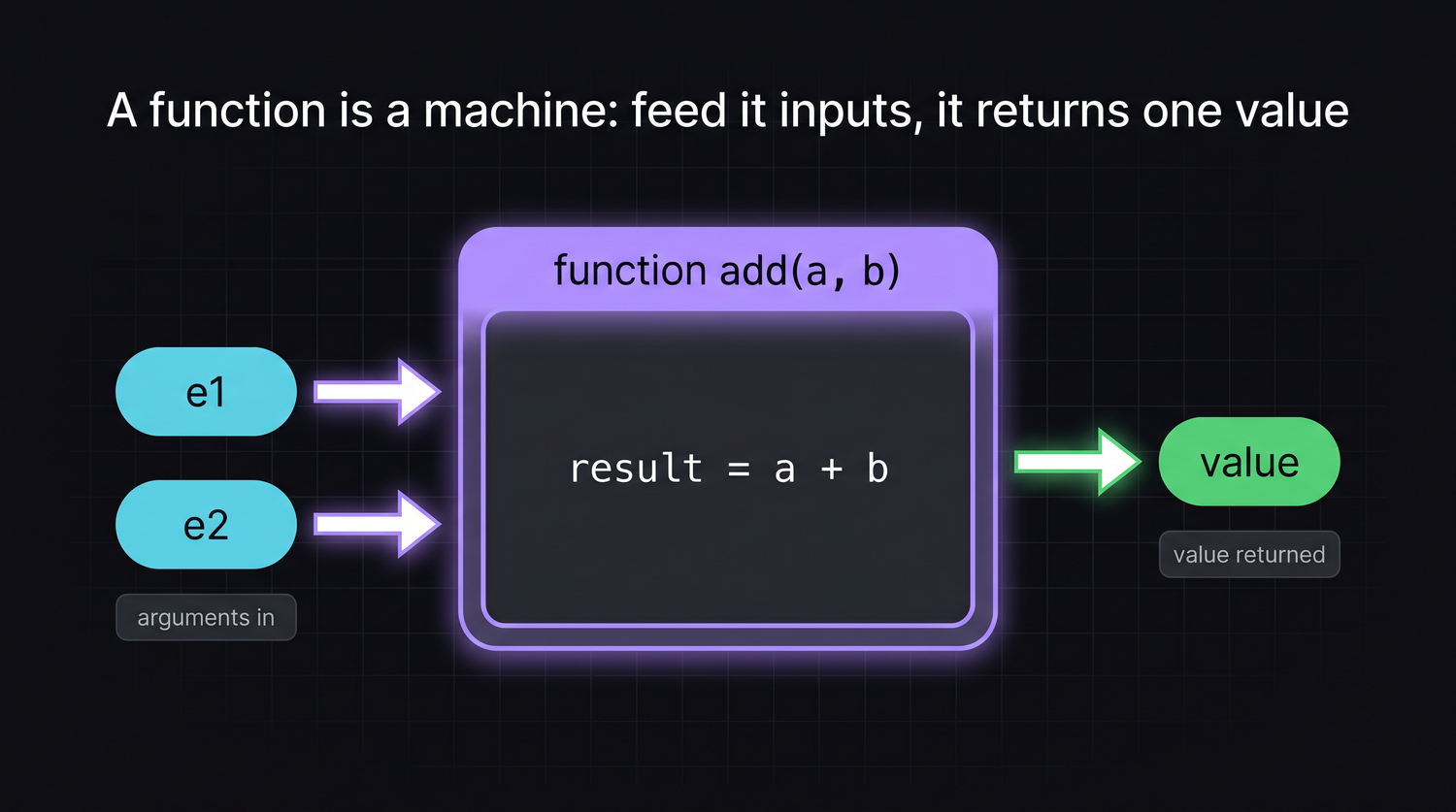
A function returns a value and is used in an expression; a procedure performs an action and is used as a statement. If you find yourself wanting the result of a procedure, you actually wanted a function.
Parameters and return
The names in the brackets of the definition - a, b above - are parameters: placeholders that stand in for whatever you pass when you call it. They let one definition serve countless uses. The same add works on EMAs, on prices, on RSI values - anything you hand it.
The match-up is by position, not by name. The first value you pass lands in the first parameter, the second in the second, and so on down the line. So when you call SmoothRSI(14, 3), the 14 becomes period and the 3 becomes smooth purely because of their order - swap them and you would be asking for something completely different:
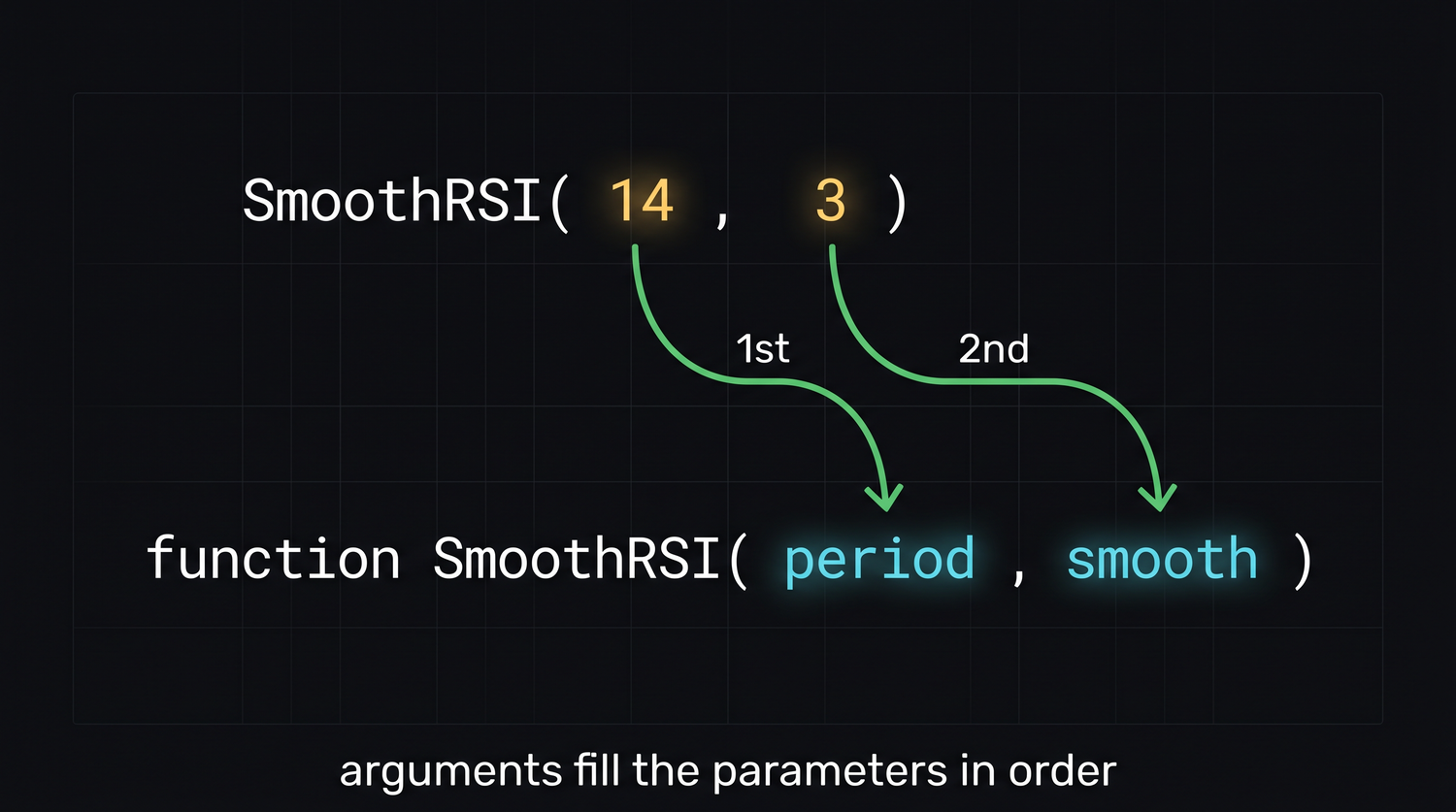
return does two jobs at once: it sends a value back, and it stops the function immediately. Anything after a return does not run. That makes return handy for early exits:
function safeDivide(top, bottom)
{
    // guard against divide-by-zero, bar by bar
    result = IIf(bottom == 0, 0, top / bottom);
    return result;
}
Think of return as the one-way door out of the function. It packs up a single value, hands it back to the exact spot where the function was called, and ends the function right there - and any working variables it built along the way simply disappear:
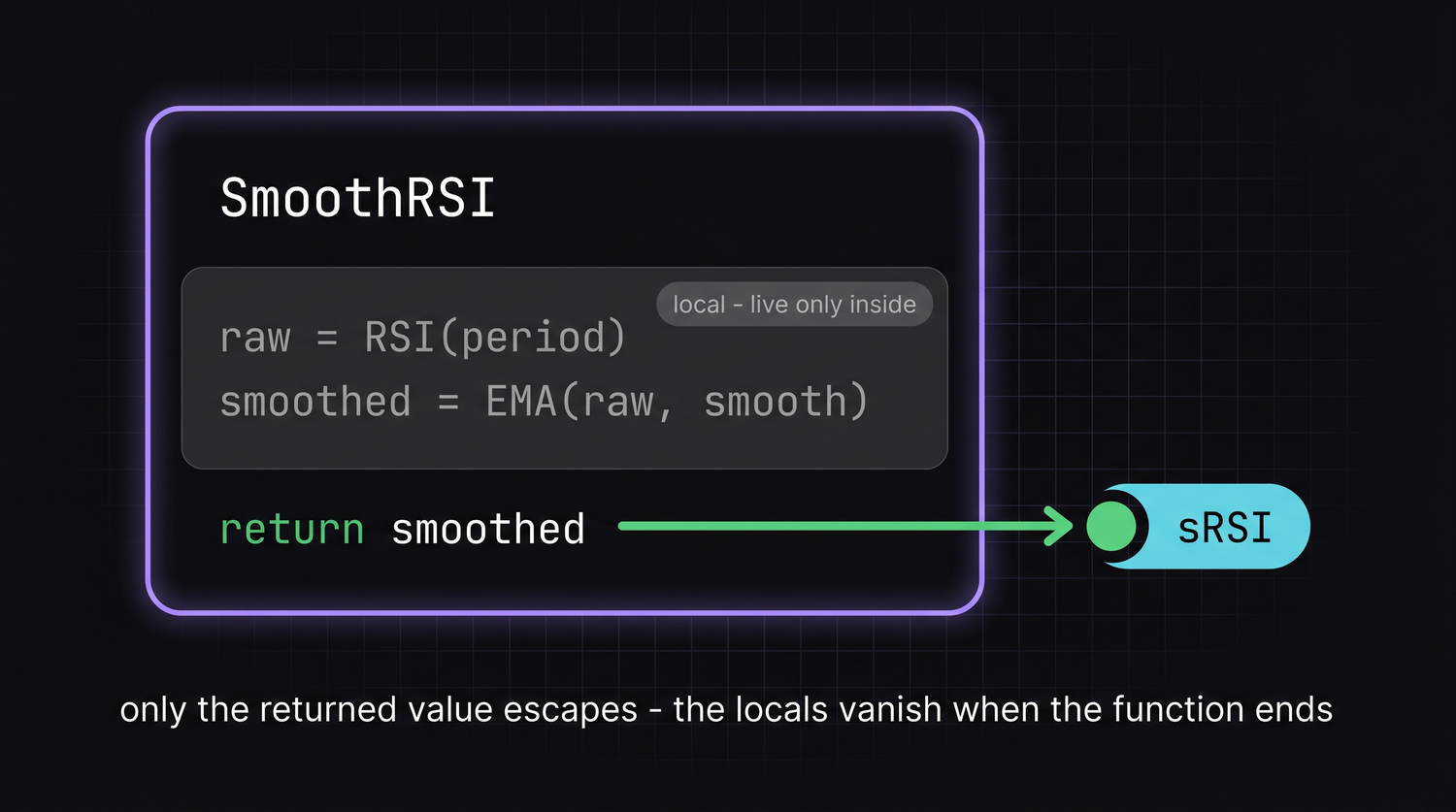
A function can take as many parameters as you like, and they can be numbers or arrays. You can even give them sensible names so the call reads like a sentence: rsiSmoothed(Close, 14, 3).
local versus global scope
When you create a variable inside a function, it is local - it exists only while that function runs and is invisible to the rest of the formula. This is a feature, not a limitation: it means a variable called result inside add cannot accidentally clobber a result you are using out in the main code. Each function gets its own private workspace.
Occasionally you genuinely need a function to read or write a variable that lives in the main formula. AFL gives you two keywords for that:
global trend;          // declare in the main body: shared across functions
trend = 1;

function flipTrend()
{
    global trend;      // re-declare inside: now we touch the SAME trend
    trend = -trend;    // flip it
}
function withLocal()
{
    local temp;        // explicitly private (this is the default anyway)
    temp = Close * 2;
    return temp;
}
Reach for global sparingly. A function that quietly changes outside variables is hard to reason about and easy to break. Prefer passing values in as parameters and handing the answer out with return - functions that only talk through their arguments are the ones you can trust and reuse without surprises.
A reusable smoothed-RSI function
Let us build something you will actually keep. Plain RSI can be jumpy; a common fix is to smooth it with a short moving average. Wrap that in a function and you have a clean, named indicator you can drop into any formula:
// A smoothed RSI: standard RSI run through a short EMA to calm the noise.
// period   - the RSI lookback
// smooth   - the EMA length used to smooth it
function SmoothRSI(period, smooth)
{
    raw      = RSI(period);          // the usual RSI
    smoothed = EMA(raw, smooth);     // calm it down
    return smoothed;                 // hand back the finished array
}

// use it like any built-in
sRSI = SmoothRSI(14, 3);

Plot(sRSI, "Smoothed RSI", colorAqua, styleThick);
Plot(30, "", colorGreen, styleDashed);
Plot(70, "", colorRed,   styleDashed);
That is a genuinely useful indicator in seven lines, and now it has a name. Anywhere you write SmoothRSI(14, 3) you get the same tested logic - change the smoothing once, inside the function, and every chart that uses it updates.
A procedure for a repeated action
When the job is to draw rather than to calculate, write a procedure. Here is one that marks a level with a labelled line - the kind of thing you might call several times:
procedure DrawLevel(value, lineColor, label)
{
    Plot(value, label, lineColor, styleDashed | styleNoLabel);
}

// call it as standalone statements - no assignment, no return
DrawLevel(HHV(High, 20), colorGreen, "20-bar High");
DrawLevel(LLV(Low,  20), colorRed,   "20-bar Low");
Each call is a complete instruction on its own line. There is nothing to assign because a procedure gives nothing back - it just acts.
Building a small personal library
Once you have a handful of trusted functions, you do not want to paste them into every formula. AFL lets you keep them in one file and pull them in with #include:
// at the very top of any formula that needs your helpers
#include <MyLibrary.afl>

// now SmoothRSI, DrawLevel and friends are available here
sRSI = SmoothRSI(14, 3);
Save your collection of functions as, say, MyLibrary.afl in AmiBroker's Include folder, and that single line makes every function inside it available. Fix a bug once in the library and every formula that includes it is fixed. This is how a serious AFL user accumulates a toolkit over the years instead of rewriting the same code forever.
Start your library today, even with one function. Keep each function small and single-purpose, comment what its parameters mean, and resist the urge to make a function do five things. A library of tiny, reliable tools beats one giant do-everything formula every time.
Try it yourself
- Write a
TypicalPrice()function that returns(High + Low + Close) / 3and plot it over the candles. - Extend
SmoothRSIto take a third parameter for the moving-average type, choosing betweenEMAandMAwith anIIfor a parameter. - Turn the buy/sell arrow plotting you have been retyping into a
procedurecalledDrawSignals(buyArray, sellArray). - Move two of your functions into an
Includefile and pull them into a fresh formula with#include.
Recap
- A
functionreturns a value withreturnand is used in expressions; aprocedureperforms an action and returns nothing. - Parameters let one definition serve many uses; they can be numbers or whole arrays.
- Variables inside a function are local by default - use
globalonly when a function must touch shared state, and do so sparingly. - Your functions can return arrays, so they behave exactly like the built-in indicators.
- Collect trusted functions into a file and pull them in with
#includeto build a personal library you reuse for years.
Next we make our charts speak - stamping signals with arrows, shapes and text exactly where the action happens.