
Script structure
How an OpenScript file is laid out. The version line, the one declaration, the optional limits line, statements, indentation, comments and line continuation.
On this page
Every OpenScript file (OpenScript is also called OpenAlgo Script) has the same shape: a version line, one declaration, an optional limits line and a body of statements. This page covers that shape and the layout rules the compiler holds every file to: one statement per line, blocks made of indentation, comments, and how a long statement continues onto the next line. Read it before your first script, and come back to it when the console under the editor reports an error whose code starts with OS1 (the syntax errors).
A complete script
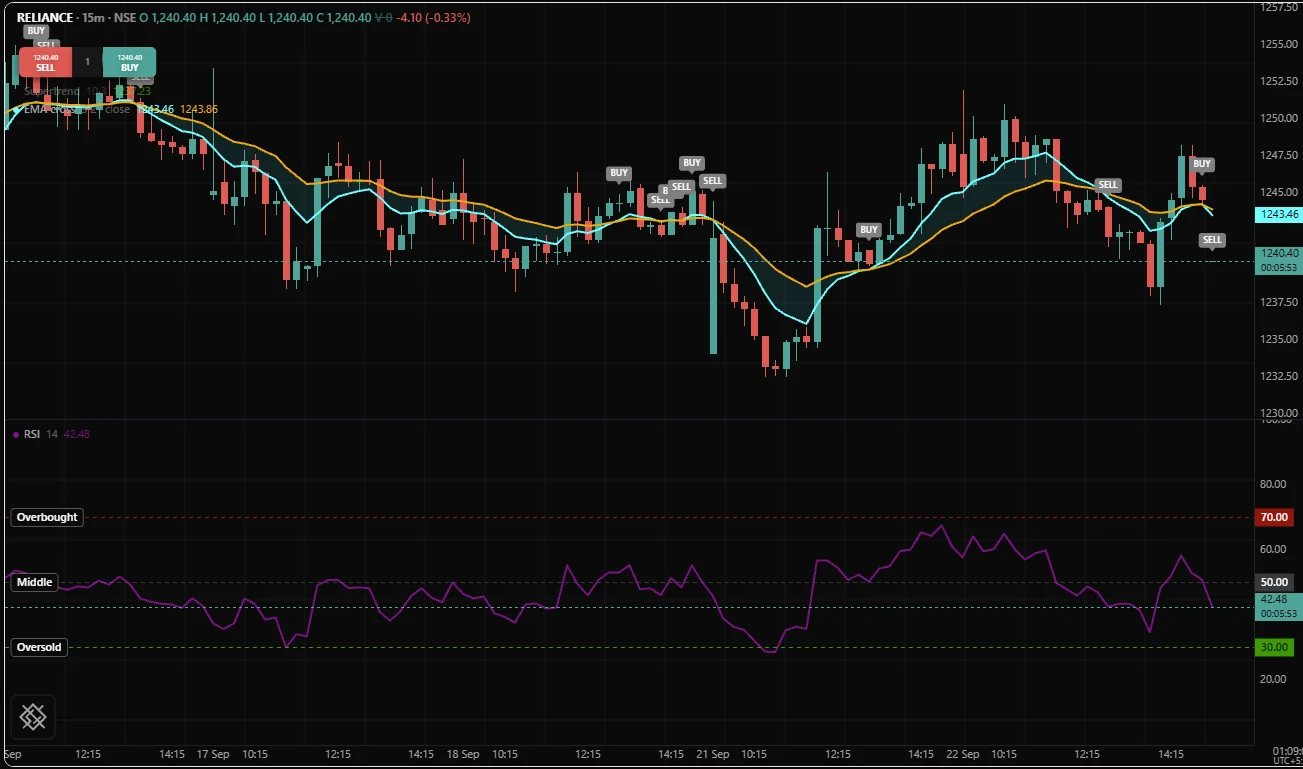
Here is a small study with every part labelled. Paste it into the Scripts panel of the /trading page, save it, and apply it to any NSE chart.
version 1

// The declaration: names the script and decides where it draws.
study("EMA pair", overlay = true, precision = 2)

// Settings, one row each in the settings dialog.
fastLen = input(9, "Fast length", min = 1, max = 200)
slowLen = input(21, "Slow length", min = 2, max = 500)

// The body: runs once per bar, top to bottom.
fast = ema(close, fastLen)
slow = ema(close, slowLen)

if crossUp(fast, slow)
    signal("CROSS UP")

plot(fast, "Fast EMA", aqua)
plot(slow, "Slow EMA", orange)
Read it as a list of statements the engine (the part of OpenScript that runs a compiled script) runs on the oldest bar, then again on the next bar, and so on to the newest. That per-bar loop is the subject of Execution model. This page is about the text itself.
The four parts of a file
| Part | Required | Example | Where it goes |
|---|---|---|---|
| Version line | No, but always write it | version 1 | The first line that is not blank and not a comment |
| Declaration | Yes, exactly one | study("EMA pair", overlay = true) | Directly under the version line |
| Limits line | No | limits(loops = 5_000_000) | Only immediately after the declaration |
| Body | Yes | everything else | Runs top to bottom, once per bar |
Comments and blank lines may appear anywhere, including above the version line.
The version line
version 1 states the language version the file was written for. It is a bare statement, not a function call, so the application running your script can read it with a one-line scan before it reads anything else.
The line is optional, and you should still write it. The language promises that a script which compiles under a version keeps compiling under every later release and keeps producing the same numbers: a later version may add keywords, functions, options and types, but never changes what an existing construct means. A file that says version 1 is always read by the rules of version 1. A file without the line is compiled with the newest version the compiler knows, and the compiler reports warning OS8003 with the line to add.
The version line must come first. A statement above it is error OS1021:
study("Too late")
version 1
The declaration
The declaration names the script and says what kind of file it is.
| Declaration | Makes | Can place orders |
|---|---|---|
study("Name", ...) | A study: plots, levels, fills, markers, tables and alerts | No |
strategy("Name", ...) | A strategy: everything a study does, plus orders | Yes |
strategy() accepts every option study() accepts and adds the trading options (capital, quantity, costs, fills). The same file plots and trades, so the numbers on the chart and the numbers in the backtest are the same numbers.
Every file carries exactly one declaration. Write it as the first statement, directly under the version line, so a reader knows what the file is before reading anything else. A file with no declaration is error OS2007, and a file with two is OS2008:
version 1
study("First")
study("Second")
Declaration options are read once, before the first bar, so each must be fixed by then: a literal, arithmetic over literals, or an input(). An option that depends on a bar's data is error OS3003, because the legend and the settings dialog are built before bar 0. The options you reach for most often:
| Option | Default | Controls |
|---|---|---|
title | required | The name in the legend and the indicator list. The first positional argument |
overlay | false | true draws on the price chart, false gives the study its own pane |
precision | 4 | Decimals on the axis and in the legend, a whole number from 0 to 10 |
range | none | A fixed scale for the study's pane, such as [0, 100] for an oscillator |
format | "price" | "price", "percent" or "volume" axis formatting |
onUnconfirmed | false | Allow signals, alerts and orders on a bar that is still forming |
Declarations lists every option of both declarations with its default.
The limits line
The engine gives every script a budget of 2,000,000 loop iterations per bar, which almost every script stays far inside. limits() raises it for a script that genuinely needs more. Most scripts never write one.
This study compares every pair of closes in its window, which is n * (n - 1) / 2 comparisons on each bar: about 5,000 at the default of 100, and about 4.5 million at the largest setting of 3,000. The larger settings would go over the default budget, so the script raises it.
version 1
study("Trend score", precision = 2)
limits(loops = 5_000_000)

n = input(100, "Window", min = 10, max = 3000)

// +1 for each pair where the newer close is higher, -1 where it is lower.
score = 0.0
for i = 0 to n - 2
    for j = i + 1 to n - 1
        score += sign(close[i] - close[j])

// From -1 (every close lower than the one before it) to +1 (every close higher).
plot(score / (n * (n - 1) / 2), "Trend score", aqua)
A script that needs this many iterations does millions of operations on every bar, so expect it to be slow on a long chart.
| Rule | If you break it |
|---|---|
| It is optional and appears at most once | OS3014 |
| It must be the statement immediately after the declaration | OS3014 |
| Its arguments are literal numbers, not arithmetic and not inputs | OS3015 |
Its options are loops (loop iterations per bar) and history (how many bars of each series are kept) | OS3002 for any other name |
| The application running the script may refuse a value larger than it will run | OS5003, naming the largest value it allows |
Limits covers every budget the engine enforces.
Statements
A statement ends at the end of its line, and a line holds at most one statement. There is no separator: a ; is error OS1007.
fast = ema(close, 9); slow = ema(close, 21)The body is made of these statements:
| Statement | Example | Covered in |
|---|---|---|
| Assignment | fast = ema(close, 9), total += volume | Variables and scope |
| Persistent declaration | var upBars = 0 | Persistence |
if, else if, else | if close > open | Control flow |
for, while, break, continue | for i = 0 to 9 | Control flow |
switch | switch method | Control flow |
| A call on its own | signal("BUY"), plot(fast, "Fast") | Visuals |
| Function declaration | fn mid() => (high + low) / 2 | User functions |
return | return none | User functions |
Statements run in source order, so a name must be assigned on a line above the one that reads it. Function declarations are the exception: a fn may sit anywhere at the top level of the file, including below the lines that call it.
Blocks and indentation
A block is the group of lines that belongs to a header line: if, else, for, while, case, default or a multi-line fn. The block is every following line indented more deeply than the header, and it ends at the first line indented the same as the header or less. There are no braces and no end keyword.
version 1
study("Strong up bars", overlay = true)

range14 = atr(14)

if close > open
    body = close - open

// Blank lines and comment lines do not end a block, wherever they sit.
    if body > range14
        signal("STRONG UP")
plot(ema(close, 20), "EMA 20", aqua)
The plot line is back at the left edge, so it is outside both blocks and runs on every bar.
The rules are mechanical:
| Rule | If you break it |
|---|---|
| Indent with spaces only. A tab in the leading whitespace is refused | OS1002 |
| Every line of one block has exactly the same indentation, to the space | OS1003 |
| A block is indented more deeply than its header | OS1003 |
| A header has at least one indented line under it | OS1010 |
| A line is not indented deeper unless a header opened a block | OS1003 |
| Braces do not exist | OS1001 |
Four spaces per level is the convention and the canonical layout (below), but any consistent amount is accepted. Tabs are refused because a tab's width is an editor setting, and a file whose meaning depended on it would change meaning when someone else opened it.
A blank line, or a line holding only a comment, carries no indentation at all. It never opens or closes a block, so the comment at the left edge in the example above does not end the if block.
A line indented differently from the lines around it, even by one space, is the error you will meet most:
if close > open
    body = close - open
     signal("UP")
else if is two words on one line and does not add a level of indentation. Only fn has a single-line form, written after =>. Every other header takes its body on the next line, even a body of one statement:
fn barRange() => high - low  // single-line function, no block

if crossUp(close, ema(close, 20))  // one statement, still its own block
    signal("ABOVE EMA")
Comments
A comment starts at // and runs to the end of the line. A // inside a string is ordinary text.
// A comment on its own line.
len = 14  // A comment after code.
plot(sma(close, len), "SMA // 14 bars", aqua)  // The // in the title is text.
There are no block comments: /* and */ are error OS1026. To comment out a region, put // at the start of each line.
Line continuation
A long statement continues onto the next line in three cases:
- A
(or[is still open. - The line ends with a binary operator (such as
+,and,>), a comma,?,:or=. - The line ends with a backslash
\.
version 1
study("Ribbon mean", overlay = true, precision = 2)

// Case 2: each line ends with +.
ribbon = ema(close, 9) +
        ema(close, 21) +
        ema(close, 50)

// Case 1: the ( of plot is still open.
plot(ribbon / 3, "Ribbon mean",
        color = aqua,
        width = 2)

// Case 3: a backslash at the end of the line.
message = "Close " + \
        text(close, 2)

t = table("Last close", 1, 1)
if bar.isLast
    cell(t, 0, 0, message)
A continuation line must be indented more deeply than the line its statement began on, so it can never be mistaken for a new statement. One indented the same or less is error OS1028. Blank lines and comment lines inside a continuation are ignored, so you can comment each argument of a long call on its own line.
Names
A name (also called an identifier) starts with an ASCII letter or an underscore and continues with ASCII letters, digits and underscores. Names are case sensitive, so fastLen and fastlen are two names.
| Written | Result |
|---|---|
fastLength, _scratch, ema9 | Legal names |
2fast | OS1029: a name cannot start with a digit |
längd | OS1001: names are ASCII |
step, color, series as a variable | OS1019: a reserved word |
The convention, not enforced, is camelCase for names and functions and UPPER_SNAKE for values you treat as constants.
Reserved words cannot be names, but they can be named-argument labels. plot(x, "X", color = aqua) is correct: the label color is matched against the call's parameters and never looked up as a variable. Keywords lists every reserved word.
Source text
A file is UTF-8 text. A byte order mark at the start is ignored, and Windows line endings are normalised, so a file compiles the same on every machine.
Outside string literals, only ASCII letters, digits, spaces, newlines and the language's punctuation are legal. A non-breaking space or a curly quotation mark pasted from a document is error OS1001, reported at that character with the plain character to use instead. Inside a string any Unicode text is fine, so a label can read "₹ per lot".
The canonical layout
A file has one canonical layout: the spacing every example in this documentation uses. It moves whitespace and nothing else, so laying a file out this way never changes what it means.
| Rule | Canonical form |
|---|---|
| Block indentation | Four spaces per level |
| A continuation line | Eight spaces past the line that began the statement |
| Between tokens | One space: a + b, x = -1. Columns lined up by hand are not kept |
| No space | Inside brackets, before a comma, around a dot, before a call's or an index's bracket: f(a, b), chart.symbol, close[1] |
| A comment after code | Two spaces clear of the code |
| Blank lines | At most one in a row, and the file ends with one line ending |
Line breaks inside a statement stay where you wrote them. The openalgo-script library includes a formatter that writes this layout, for applications built on it. The /trading editor does not reformat your code in this release, so keep to the layout by hand. The editor describes what the /trading editor does today, and the Style guide covers naming and layout conventions.
Errors you may meet
| Code | Means | Fix |
|---|---|---|
| OS1001 | A character the language does not use | Retype it as plain ASCII, or use the word the message names (not, and, pow) |
| OS1002 | A tab in indentation | Indent with spaces |
| OS1003 | Indentation does not match the block | Make every line of a block match exactly |
| OS1007 | A ; | Put the second statement on its own line |
| OS1010 | A header with no body | Indent the body under the header |
| OS1021 | The version line is not first | Move it to the top |
| OS1026 | A block comment | Use // on each line |
| OS1028 | A continuation line is not indented | Indent it past the statement's first line |
| OS2007 | No declaration | Add study("Name") under the version line |
| OS2008 | Two declarations | Keep one |
| OS3014 | limits() in the wrong place, or written twice | Put one directly under the declaration |
| OS8003 | No version line | Add version 1 as the first line |
Related. Execution model, Variables and scope, Control flow, Declarations, Keywords, Syntax errors